A GTA 5 mods to FiveM converter takes a mod built for singleplayer, usually installed with OpenIV into dlcpacks or replacement archives, and repackages it as a FiveM resource: a stream folder with the models and textures, the meta files, and an fxmanifest.lua that tells the server what to load. Asset mods like cars, props, maps and clothing can be converted. Script mods built for ScriptHookV cannot.
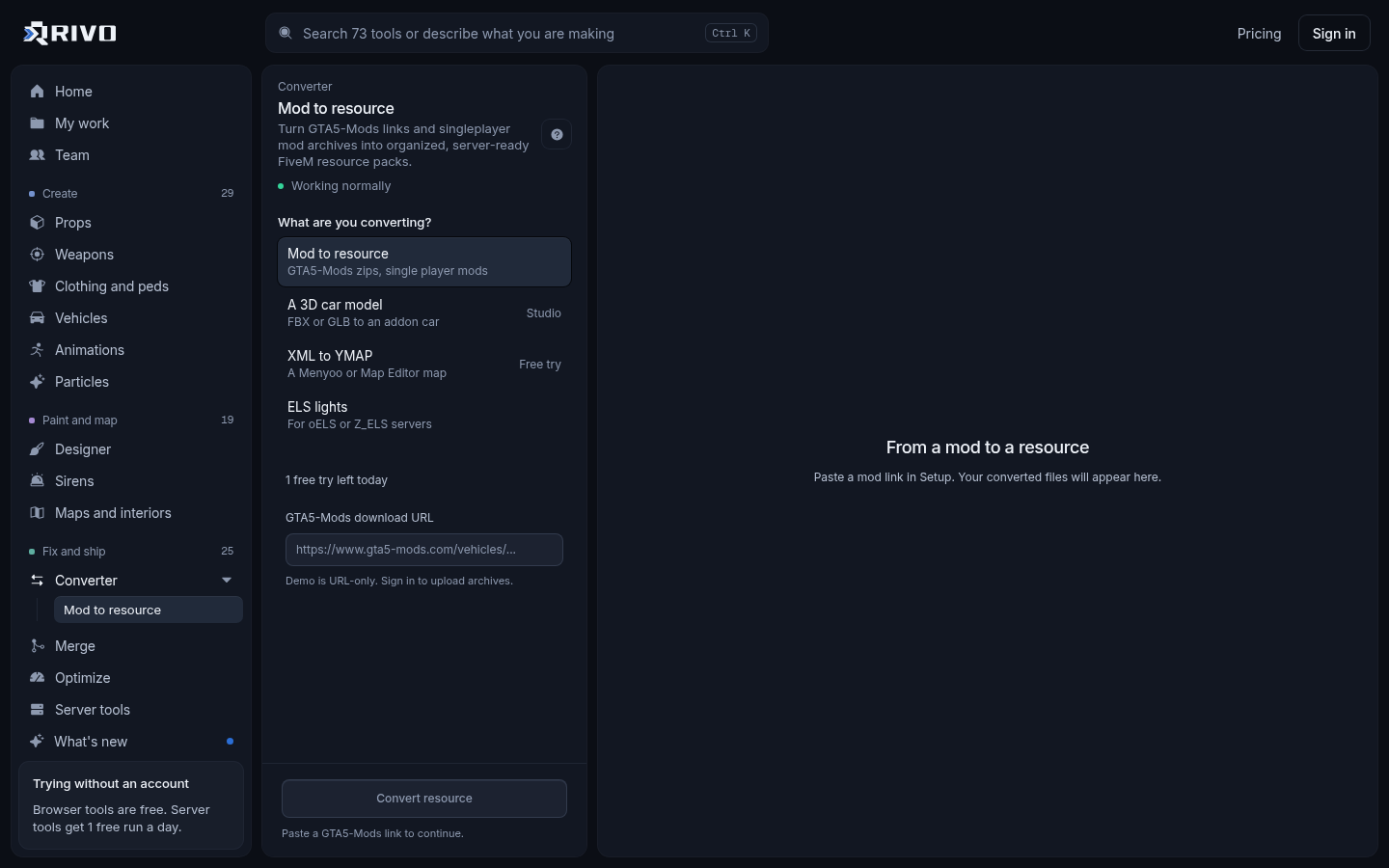
The quickest route is the GTA 5 mod to FiveM converter. Paste a GTA5-Mods link or drop the mod's zip, and Rivo finds the models, textures and meta files inside, sorts them, and writes a correct fxmanifest.lua so the resource loads. The rest of this guide covers what FiveM is, why mods need converting, and how to install and check the result.
What is FiveM in GTA 5?
FiveM is a modification framework for GTA V on PC, made by Cfx.re. It lets people run their own multiplayer servers with custom cars, maps, jobs and scripts, separate from GTA Online. Players often call it 5M. You need a legitimate PC copy of GTA V to play it.
How to play GTA 5 on 5M
Make sure GTA V is installed on your PC and launches normally.
Download the FiveM client from the official FiveM website and run it.
Let it find your GTA V install and finish its first update.
Open the server browser, pick a server and connect. The server's custom content downloads automatically when you join.
Players never install mods by hand on FiveM. Everything a server uses is streamed from the server as resources, which is exactly why singleplayer mods have to be converted first.
Why singleplayer mods do not work on FiveM directly
Singleplayer mods are packaged for a local game install. FiveM loads content in a different way, so the same files need a new home.
Add-on mods ship as dlc.rpf archives that you register in dlclist.xml. FiveM does not read your dlclist; it reads resources.
Replace mods overwrite files inside update.rpf or x64 archives. On FiveM you replace a vanilla asset by streaming a file with the same name instead.
OIV packages are OpenIV installers. They describe where to put files on disk, not how a server should stream them.
ScriptHookV mods (.asi and .dll files) do not run on FiveM at all. Equivalent features have to be written as FiveM Lua, C# or JavaScript resources.
So a converter's job is to pull the real assets out of the mod (.yft, .ytd, .ydr, .ydd, .ymap, .ytyp and so on), put them in a stream folder, and declare the meta files with the right data_file types in fxmanifest.lua.
What you can and cannot convert
Add-on and replace vehicles: models, textures and their vehicles, handling, carvariations and carcols meta.
Maps and props: .ymap placements, .ytyp archetypes, .ydr models and .ybn collision.
Clothing and other streamed models and textures.
Not convertible: ScriptHookV scripts, trainers, ENB or graphics presets that rely on local game files, and anything that only works by patching the game executable.
Also check the mod's licence before it goes on a server. Many GTA5-Mods authors do not allow reuploads or use on public servers without permission. If the readme says ask first, ask.
How to convert a GTA 5 mod to FiveM with Rivo
Open the converter and paste the GTA5-Mods link, or drop the mod's zip if you already downloaded it.
Rivo unpacks the mod and finds the models, textures and meta files inside, then sorts them into a stream folder and a data folder.
Review the result and the generated fxmanifest.lua.
Download the resource, unzip it into your server's resources folder and add an ensure line to server.cfg.
Restart the server, or run refresh then ensure on the resource from the console, and test it in game.
What a converted resource looks like
For an add-on car the output follows the standard FiveM layout. Models and textures go in stream, meta files go in a data folder, and the manifest declares them.
mycar/
  fxmanifest.lua
  data/
    vehicles.meta
    handling.meta
    carvariations.meta
    carcols.meta
  stream/
    mycar.yft
    mycar_hi.yft
mycar.ytdfx_version 'cerulean'
game 'gta5'
files {
'data/vehicles.meta',
'data/handling.meta',
'data/carvariations.meta',
'data/carcols.meta',
}
data_file 'HANDLING_FILE' 'data/handling.meta'
data_file 'VEHICLE_METADATA_FILE' 'data/vehicles.meta'
data_file 'CARCOLS_FILE' 'data/carcols.meta'
data_file 'VARIATION_INFO_FILE' 'data/carvariations.meta'Map and prop mods are simpler: the .ymap, .ytyp, .ydr and .ybn files go in stream, and a .ytyp usually gets a DLC_ITYP_REQUEST data_file entry. The full list of data_file types is in the official docs at docs.fivem.net.
Install it on your server
Put the folder in resources and ensure it in server.cfg. Keep resource names lowercase and free of spaces to avoid surprises.
# server.cfg
ensure mycarFor a car, the spawn code is the modelName in vehicles.meta. If a pack has many cars and you are not sure of the names, the vehicle spawn code finder lists every spawn code per pack. If you are starting a fresh server, the server.cfg generator gives you a clean, correctly ordered config to add ensures to.
Check the resource before it goes live
Converted mods tend to fail in the same few ways. A few free checks catch most of them before players see them.
Resource will not start: run it through the fxmanifest.lua checker to find missing files, wrong paths and undeclared data_files.
Car will not spawn: the vehicle meta checker lints vehicles.meta, handling.meta, carvariations.meta and carcols.meta together.
Wrong model or texture shows up: the asset conflict finder finds stream files and spawn codes shared across resources.
Sirens or tuning parts broken on two cars at once: the carcols ID fixer renumbers clashing siren, light and modkit ids.
Texture loss or slow joins: the server load checker ranks oversized files, and the vehicle optimizer and texture optimizer shrink them.
Resource includes Lua or JS from a source you do not know: scan it with the backdoor and malware scanner first.
Common problems after converting
The car spawns invisible or with missing textures
This usually means the .yft or .ytd names do not match the modelName and txdName in vehicles.meta, or the texture dictionary is too large. Check the names first, then check the file sizes.
A replace mod changes nothing
Replacement files must use the exact vanilla file name to override the original. If another resource streams the same name, only one wins, so check for conflicts.
A map mod shows props but no collision
The .ybn collision files may be missing from stream, or the .ytyp that defines custom archetypes is not declared. If you are combining several map mods into one resource, the YMAP merger and YTYP merger keep the file count down.
The mod relied on a script
If the original mod needed ScriptHookV to work, the assets will convert but the behaviour will not. You will need a FiveM script resource that does the same job.
Converting by hand vs using a converter
You can convert by hand: open the dlc.rpf in OpenIV, export the stream files and meta, build the folder, and write the fxmanifest.lua yourself. It works, but it is slow and easy to get wrong when a mod has dozens of files or meta spread across several archives. A converter does the sorting and the manifest in one pass, so your time goes into testing instead of copying files.
For an overview of what the converter handles and the types of mods it supports, see the GTA 5 mod to FiveM converter page. If you already have a resource folder and only need a manifest, the fxmanifest.lua generator reads the folder and writes one. There is also a related walkthrough in GTA 5 mods converter: turn mods into FiveM resources.