Z_ELS is an emergency lighting resource for FiveM. Like ELS, it drives a vehicle's emergency lights through the car's extras. The difference is that each vehicle is configured with a Lua file instead of an ELS .xml vehicle config file (VCF). If you search "z els" you are usually setting it up for the first time or moving a police fleet over from ELS.
If you already have ELS VCF files for your cars, you do not need to rewrite them by hand. Drop each VCF into the ELS to Z_ELS converter and you get the Z_ELS vehicle .lua back, with each light mapped across. The rest of this guide covers installing Z_ELS, preparing vehicles and fixing the usual problems.
What Z_ELS does
GTA V emergency vehicles normally flash their lights through the siren settings in carcols.meta. ELS-style systems take a different approach: the light bar, grille lights and other lamps are modeled as vehicle extras, and the lighting script switches those extras on and off in patterns. That gives you stage control, separate patterns per light and takedowns or alley lights that the stock siren system cannot do.
Z_ELS follows that model. For every vehicle it needs a config that names the model and says which extras are lights, what each one represents and how they should behave. Because that config is Lua, it lives alongside the rest of your scripts rather than as XML.
Z_ELS, ELS and oELS compared
Three extra-based lighting systems come up most often on FiveM servers. They solve the same problem with different config formats, so the vehicle model itself usually stays the same and only the config changes.
ELS: the original format, one .xml VCF file per vehicle. Many emergency vehicle packs still ship with these.
Z_ELS: one Lua config per vehicle. Convert existing VCFs with the ELS to Z_ELS converter.
oELS: its own vehicle config and light pattern format. If you are moving to oELS instead, use the ELS to oELS converter.
If your cars do not use extras for lights at all and you only want stock GTA sirens, you do not need Z_ELS. The siren and light pattern editor lets you program flash patterns on a 3D police car and export the carcols.meta siren entry instead.
Convert an ELS fleet to Z_ELS
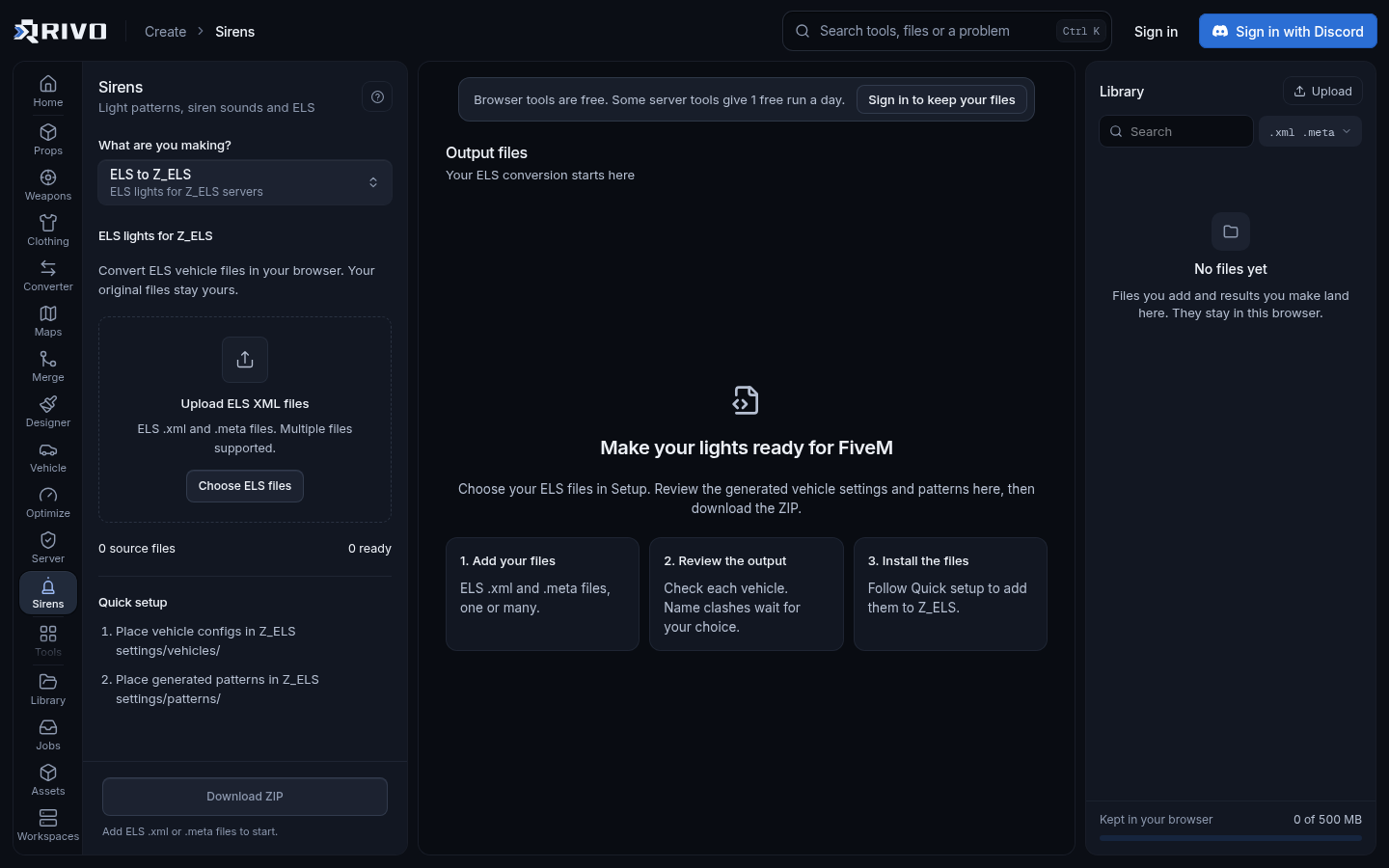
The slow part of any move to Z_ELS is redoing every car's config. A VCF already describes which extras are lights, so converting is faster and less error prone than starting over.
Collect the ELS VCF .xml file for each vehicle. They are usually in an ELS folder inside the vehicle pack or in your old ELS resource.
Open the ELS to Z_ELS converter and drop in one VCF.
Check the mapped lights. Make sure each extra lines up with the light you expect, for example the front light bar or the rear reds.
Download the Z_ELS vehicle .lua.
Repeat for each vehicle, and keep the file names tied to the spawn names so you can find them later.
Place the files where your copy of Z_ELS expects vehicle configs, as described in its readme.
Test one car end to end before converting the whole fleet. If the first one works in game, the rest will behave the same way.
Install Z_ELS on your server
Z_ELS installs like any other FiveM resource. Get it from its official release, put the folder in your resources directory and start it from server.cfg.
Place the Z_ELS folder in your server's resources directory. Keep the folder name simple and without spaces.
Add your vehicle configs where the resource's documentation says they go.
Make sure your emergency vehicle resource streams the models and has its meta files declared in fxmanifest.lua.
Add ensure lines to server.cfg for both the vehicle resource and Z_ELS.
Restart the server, or use refresh and ensure from the console, then spawn a car and test each light stage.
Your server.cfg entries look like this. Use the actual folder names from your resources directory.
# emergency vehicles
ensure my-police-vehicles

# lighting
ensure z_elsThe ensure command and server.cfg layout are covered in the official docs at https://docs.fivem.net. If you are building a config from scratch, the server.cfg generator produces a clean, ordered file you can add these lines to.
Preparing the vehicles
Z_ELS can only switch lights that exist on the model as extras. A car built for ELS already has them. A car built for stock sirens may not, and no config will add lights the model does not have.
Confirm the model has the light extras the config refers to.
Make sure the config names the same model as the vehicle's spawn code. A mismatch means the lights never react.
Check that vehicles.meta, carvariations.meta and carcols.meta are loaded as data_files in the vehicle resource's fxmanifest.lua.
Common Z_ELS problems
Lights do nothing
Start with the model name in the config. It must match the spawn code exactly. If it does, check that Z_ELS actually started: look for errors in the server console when it loads. A missing or misnamed config file is the most common cause.
Wrong lights flash
The extras in the config do not match the extras on the model. Open the converted config, compare each mapping with the car, and adjust. This often happens when a VCF was written for a different version of the same vehicle.
The car will not spawn
This is a vehicle problem, not a lighting one. Run the meta files through the vehicle meta checker, which lints vehicles.meta, handling.meta, carvariations.meta and carcols.meta together. If the resource will not start at all, the fxmanifest.lua checker compares the manifest with the files actually in the folder.
Lights or tuning break when another pack loads
Two vehicle packs claiming the same siren, light or modkit id will break each other. The carcols ID fixer finds ids claimed twice, renumbers them and rewrites the carvariations bindings to match. If two packs stream files with the same name, the asset conflict finder shows which resources share them.
Where to find Z_ELS documentation
For the exact config options, key binds and folder layout, use the readme that ships with your copy of Z_ELS. Options can change between versions, so trust the documentation for the version you installed over older forum posts. For general server topics such as resources, manifests and server.cfg, the official FiveM docs at https://docs.fivem.net are the reference.
Finishing your emergency fleet
Once the lights work, a few other tools help round out a police or EMS fleet:
Siren pack creator: turn siren recordings into a WMServerSirens or Luxart siren pack with the config snippet.
Emergency vehicle chevron generator: build rear chevron panels as print-ready PNGs for liveries.
Livery maker: paint department liveries on the UV map and see them on the 3D car. The AI livery maker guide covers generating and installing liveries.
Vehicle spawn code finder: pull every spawn code out of a pack so your configs and garages use the right names.
To read more about converting ELS configs, including what gets mapped, see the ELS to Z_ELS converter overview. Convert one car, test it in game, then move the rest of the fleet across.